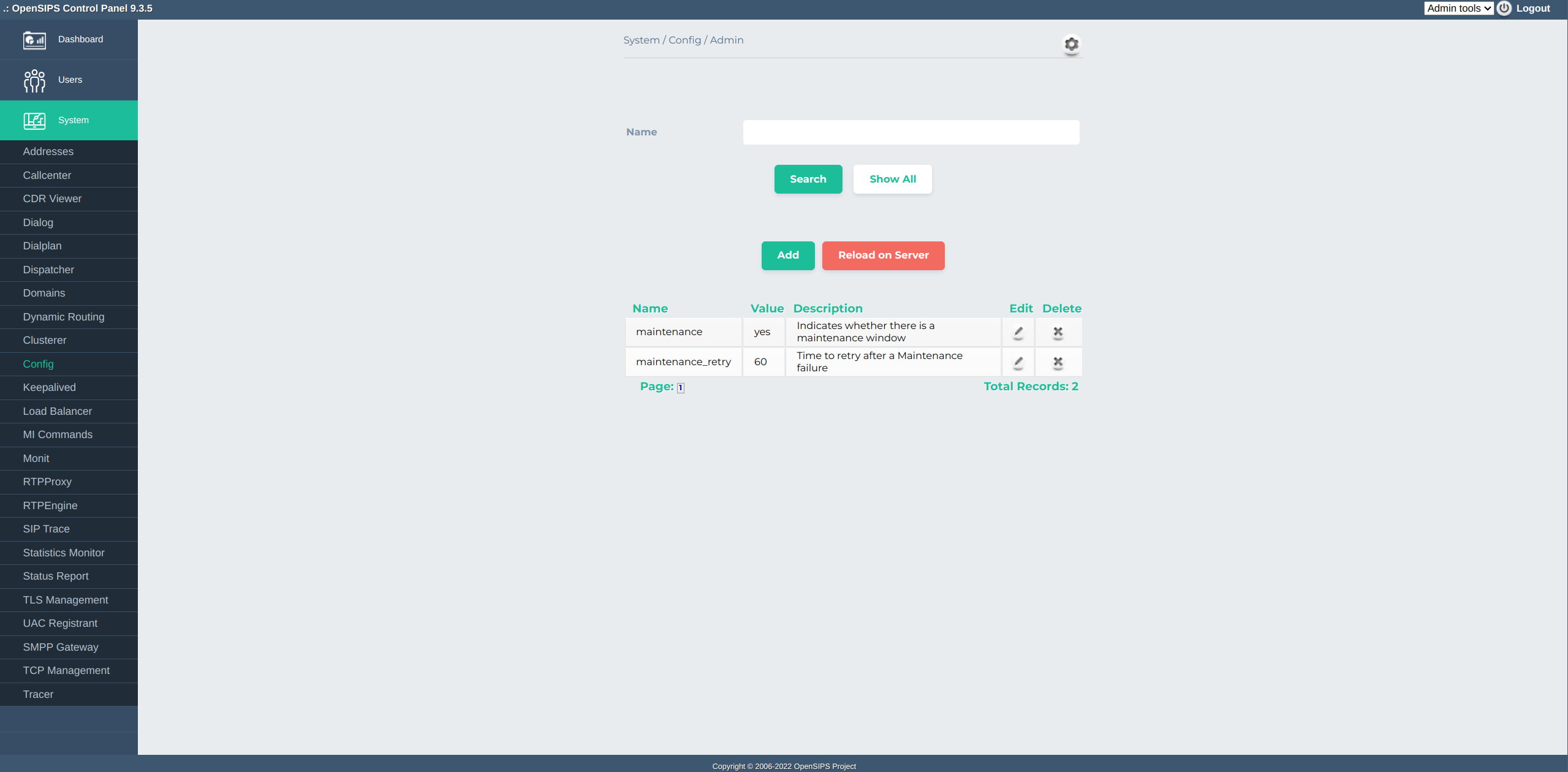
The Config tool aims to provide a simple interface to configure OpenSIPS through a table. It relies on the SQL Cacher OpenSIPS module in OpenSIPS 9.3.5, but starting from 9.3.6 it uses the builtin Config OpenSIPS module. The tool takes care of storing the data in the database and reloading OpenSIPS when a key changes, through the Reload on Server button.
|
|
CREATE TABLE `config` (
  `id` int unsigned NOT NULL AUTO_INCREMENT,
  `name` varchar(255) NOT NULL,
  `value` varchar(255) DEFAULT NULL,
  `description` varchar(255) NOT NULL DEFAULT '',
  PRIMARY KEY (`id`)
);
#### Config module
loadmodule "config.so"
modparam("config", "db_url", "mysql://opensips:opensipsrw@localhost/opensips")
Make sure you adapt the database settings according to your environment. Then, in your script, you can use the $config variable to fetch the value. For example, to check a maintainence setting, you need the following snippet:
if ($config(maintenance)) {
        if ($config(maintenance_retry_after))
                append_to_reply("Retry-After: $config(maintenance_retry_after)\r\n");
        send_reply(503, "Service Unavailable");
        exit;
}
#### CACHEDB_LOCAL module
loadmodule "cachedb_local.so"
modparam("cachedb_local", "cache_collections", "config=8")

#### SQL_CACHER module
loadmodule "sql_cacher.so"
modparam("sql_cacher", "cache_table", "id=config
db_url=mysql://opensips:opensipsrw@localhost/opensips
cachedb_url=local:///config
table=config
key=name
columns=value
on_demand=1")
Make sure you adapt the settings according to your environment (database url, cache_id, etc).
In order to use the settings in the OpenSIPS configuration, you need to use the $sql_cached_value. For example, to check a maintainence setting, you need the following snippet:
if ($sql_cached_value(config:value:maintenance)) {
        if ($sql_cached_value(config:value:maintenance_retry_after))
                append_to_reply("Retry-After: $sql_cached_value(config:value:maintenance_retry_after)\r\n");
        send_reply(503, "Service Unavailable");
        exit;
}
Tool specific settings are configurable via the setting panel - see gear-icon in the tool header.
It exposes several settings for adapting a custom configuration table through the standard settings.
All settings are explained via ToolTip and have format validation.